
What build vs buy means for AI
In classic IT, build vs buy is a choice between a packaged product and software made for you. You compare what the market offers, what it costs, how well it fits and how far it can be customized, and you build only when nothing suitable exists.
With AI the choice has more than two sides. AI reaches a company in three ways:
- As a feature inside a product you already pay for. The CRM, the design tool or the help desk adds an AI option, and a department switches it on with a subscription upgrade.
- As an AI product. A chat assistant, a meeting note taker, a coding assistant or a specialized tool bought for one job.
- As an AI system built on top of models. Assistants and agents that run a defined piece of your work, connected to your systems and knowledge.
Most companies use all three at once. The real decision is which parts of the third kind to own, and how to keep the first two from tying the company to one vendor.
Custom AI vs off-the-shelf AI
Off-the-shelf (commercial off-the-shelf, or COTS) software is a ready product sold to many companies in the same form. For generic work it is usually the right call: drafting text, summarizing meetings, searching documents, writing code with an assistant. The vendor carries the risk of building the product, spreads the cost across its customers and keeps improving it.
The same goes for many connections. Large software vendors now publish their own connectors for AI assistants. For their systems the question is how to configure and control access. Our guide to MCP servers explains how those connectors work.
Custom AI pays where the work is specific to your company: how you quote, how you plan production, how you decide which customer gets attention first. No product on the market knows those rules, because they are yours. Here the company carries the risk of the build. It should build on parts it controls and keep the result. When the product itself is the goal, for example AI inside software you sell, that is custom AI product development.
What vendor lock-in looks like with AI
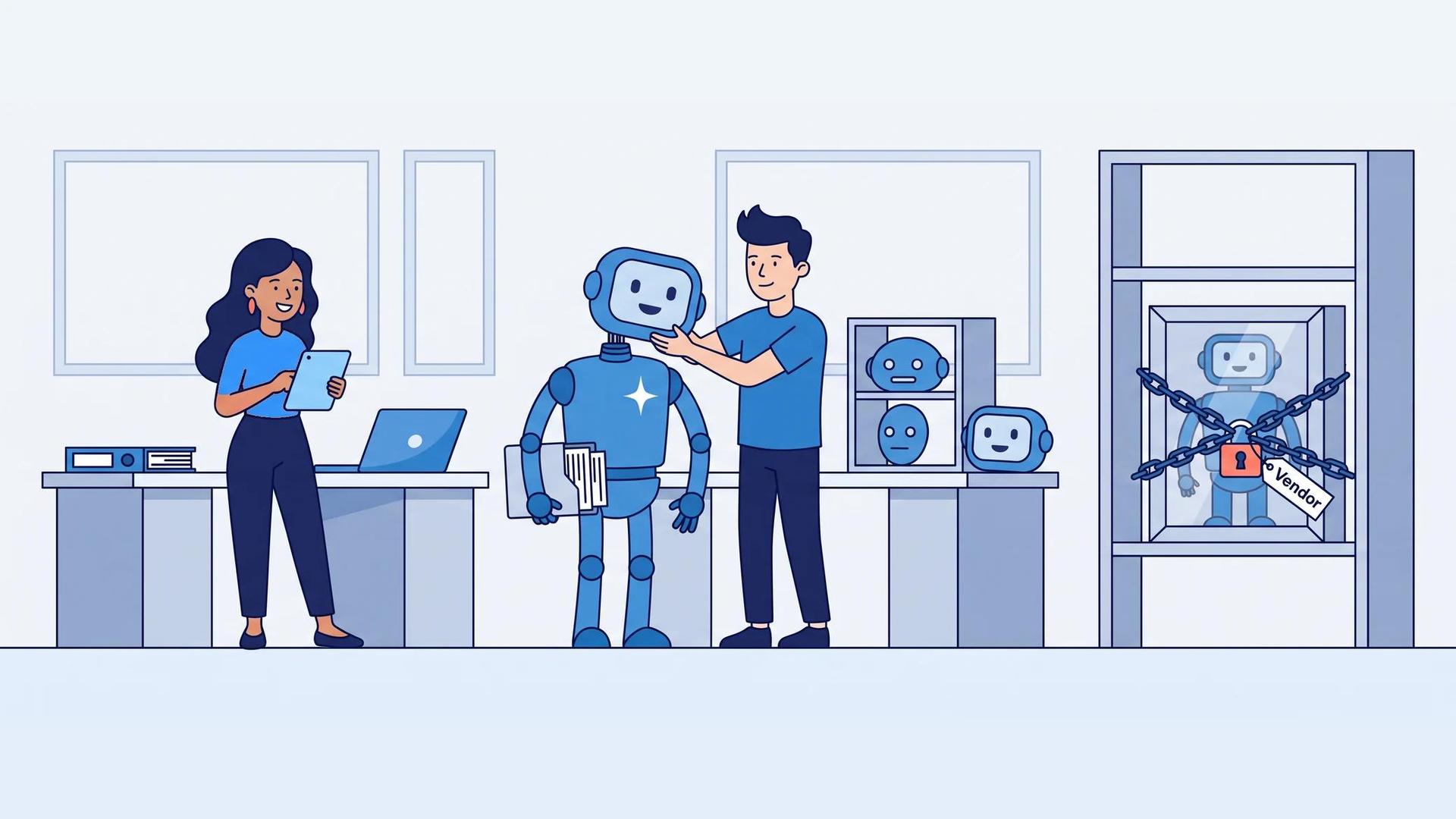
Vendor lock-in is the state in which leaving a vendor costs so much that you stay even when a better or cheaper option exists. With AI it rarely comes from the model itself. Models are easy to call and easy to compare. Lock-in grows around them:
- Habits. People learn one assistant's interface and build their routines inside it. After a year, a switch means retraining everyone.
- Instructions and know-how. Prompts, custom assistants and workflows written in one vendor's format do not run anywhere else.
- Access to core systems. When the connections to the ERP, the CRM or the order system are built inside one chat tool, that tool becomes the only door to your data.
- Data. Conversation history, documents and results stored in a format you cannot export or reuse.
- Cost. Usage-based pricing can climb quickly as more people use AI every day, and you have no room to move work to a cheaper model.
Two more pressures make this worse. The technology changes fast, and a large bet on one platform ages quickly. And some data must not leave your servers at all, which calls for a local model on some workflows and a cloud model on others.
How to avoid AI vendor lock-in
You will still use vendors. What matters is that the parts carrying your know-how stay in a form you own:
- Keep access to core systems in your own layer. Connect the ERP, CRM and order systems once, through a layer your company controls, and let assistants and agents use it. A chat tool can then be replaced without rebuilding every connection.
- Write skills as platform-neutral specifications. We write every AI skill first as a brief: what the work is, what good output looks like, which rules apply. The Claude, ChatGPT or Copilot version is produced from that brief. Moving a set of working skills to another platform has proved to be a mechanical step for us.
- Keep the method out of the prompt. Long instructions locked inside one assistant are hard to move. Short instructions that point to your own knowledge and skills move easily.
- Name systems by the work they do. "Invoice checking" outlives any product name. When the design describes capabilities, a vendor change touches the implementation and leaves the design alone.
- Keep your data exportable. Store documents, results and decision logs in your own systems, in formats you can read without the vendor.
What model-agnostic AI means
Model-agnostic AI is AI built so that the model underneath can change without redesigning the system around it. In machine learning the term also names explanation methods that work with any type of model. In business systems it describes an architecture.
A model-agnostic system keeps the model behind a clear boundary. The instructions, the knowledge, the checks and the connections sit outside it. A workflow can then use one provider's model today and another tomorrow, a cheaper model for routine steps and a local one where the data is sensitive. Switching becomes a routine change: rerun the tests on the new model, compare the results and move.
Questions to ask an AI vendor about lock-in
Before you sign with an AI vendor, ask five questions. The answers show how hard it will be to leave.
- Can we export everything we create? Data, conversation history, instructions, custom assistants and logs, in formats another tool can read.
- Which models can the product use? Can we choose a model per workflow, including a local one for sensitive data?
- Who owns the connections to our systems? If the vendor builds them, can we keep and run them without the vendor's platform?
- How does the price change as usage grows? Ask for the cost at today's usage and at ten times today's usage.
- What does leaving look like? Ask how other customers moved off the product, how long it took and what they had to rebuild.
A vendor that answers these plainly is safe to buy from. Vague answers to the first three usually mean the lock-in is part of the business model.
How to decide between build and buy in five steps
- Start from the work, not the technology. Describe the process and what a good result looks like before you compare tools.
- Check the market. If a product does the job well enough and your data can go there, buy it.
- Own what is specific. Write down the process, structure the knowledge it needs and keep the skills and the access to core systems in your own hands.
- Build where nothing fits. Build on parts you control, with the model behind a clear boundary.
- Bring in a partner for what your team cannot do yet. Make sure the result stays with you: specifications, skills, connections and tests in your repositories, not inside the partner's platform.
At our company the rule is the same in our own work and in client work. Your processes and knowledge stay the asset, and the tools stay replaceable. When a better or cheaper model appears, the switch is a routine change.
Where to go next
Each direction of our work has its own site. Operations that run on AI are at AI-Powered BPA. AI across the software development lifecycle is at AI-Powered Software Factory. Custom AI products are at AI-Powered Software Development. If you are weighing a build or a buy decision now, talk to us: you will talk with an engineer, and we will tell you plainly which parts are worth owning.